 Adams Apple Electrical
By Adams Apple Electrical, AucklandAdams Apple Electrical
COC / ESC
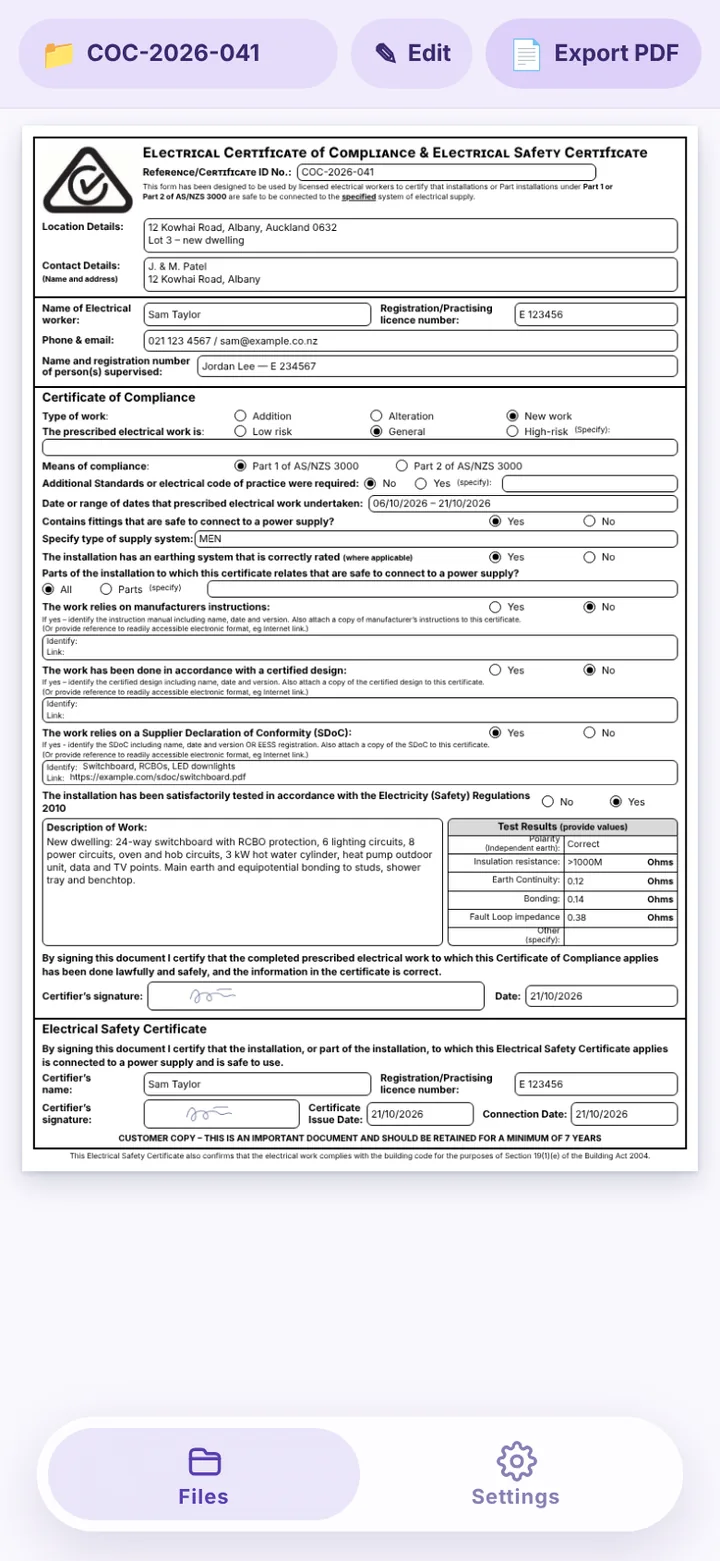
COC and ESC certificates for New Zealand electricians: fill them in on your phone, test sheet included, export straight to PDF.给新西兰电工的 COC 和 ESC 证书 App:手机上填,测试表一起,PDF 直接导出。
NZ$15.99 a month, GST included. 7-day free trial.月付 NZ$15.99,含 GST。免费试用 7 天。
How it works怎么用
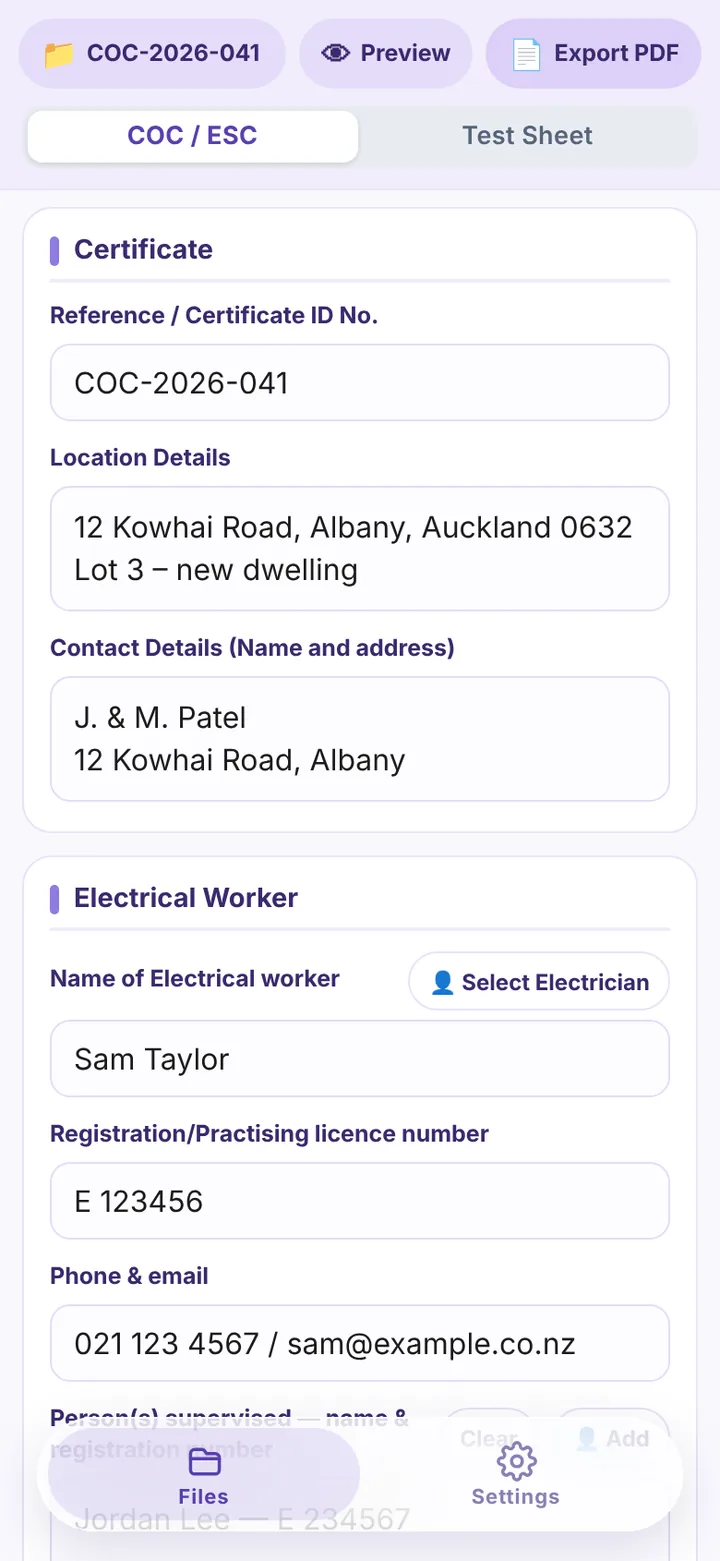
One folder per job一个项目一个文件夹
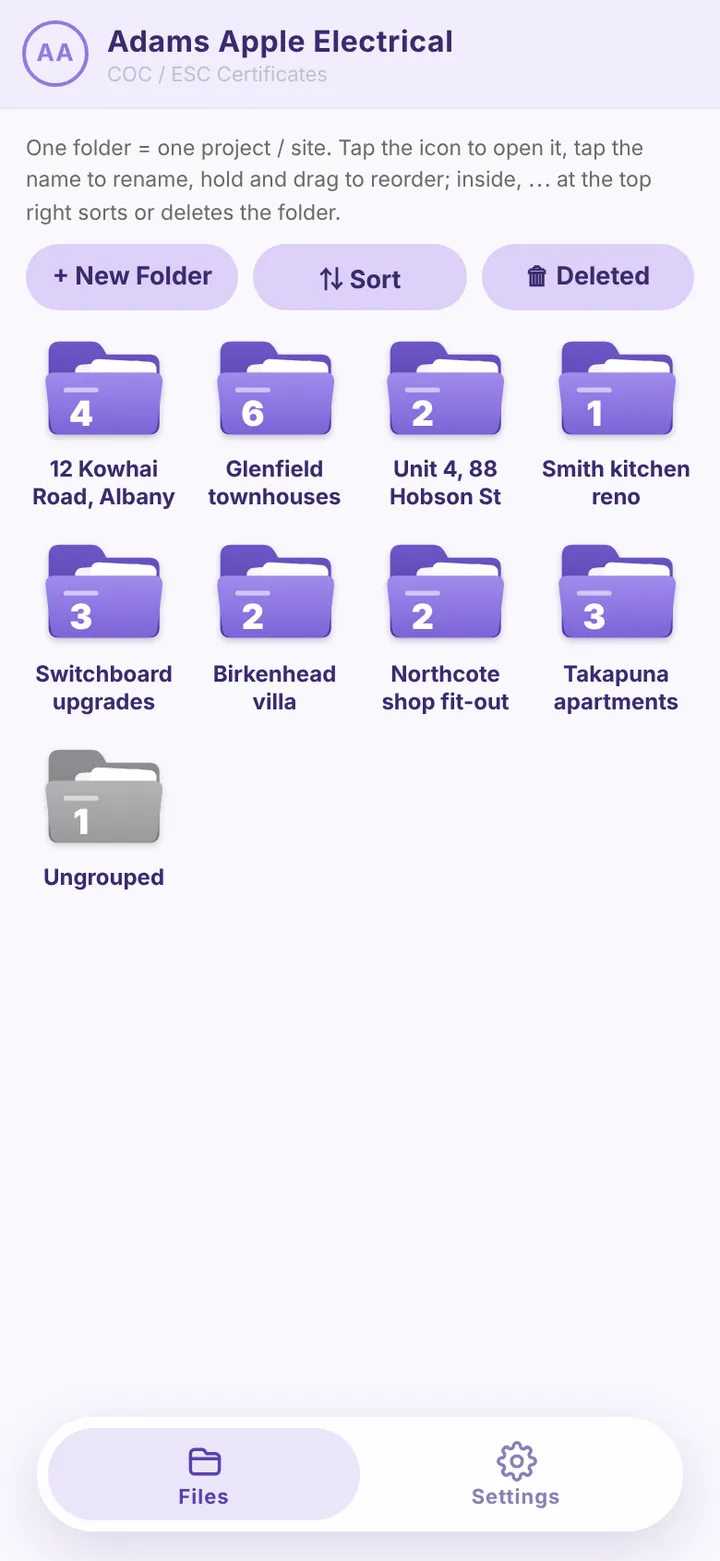
Make a folder for the job and keep its COCs and ESCs together. A new certificate in the same folder picks up the job details from the last one; a new folder starts blank.一个项目建一个文件夹,它的 COC、ESC 都放在里面。同一文件夹里新建证书自动带上上一张的项目信息,新文件夹第一张是空白的。
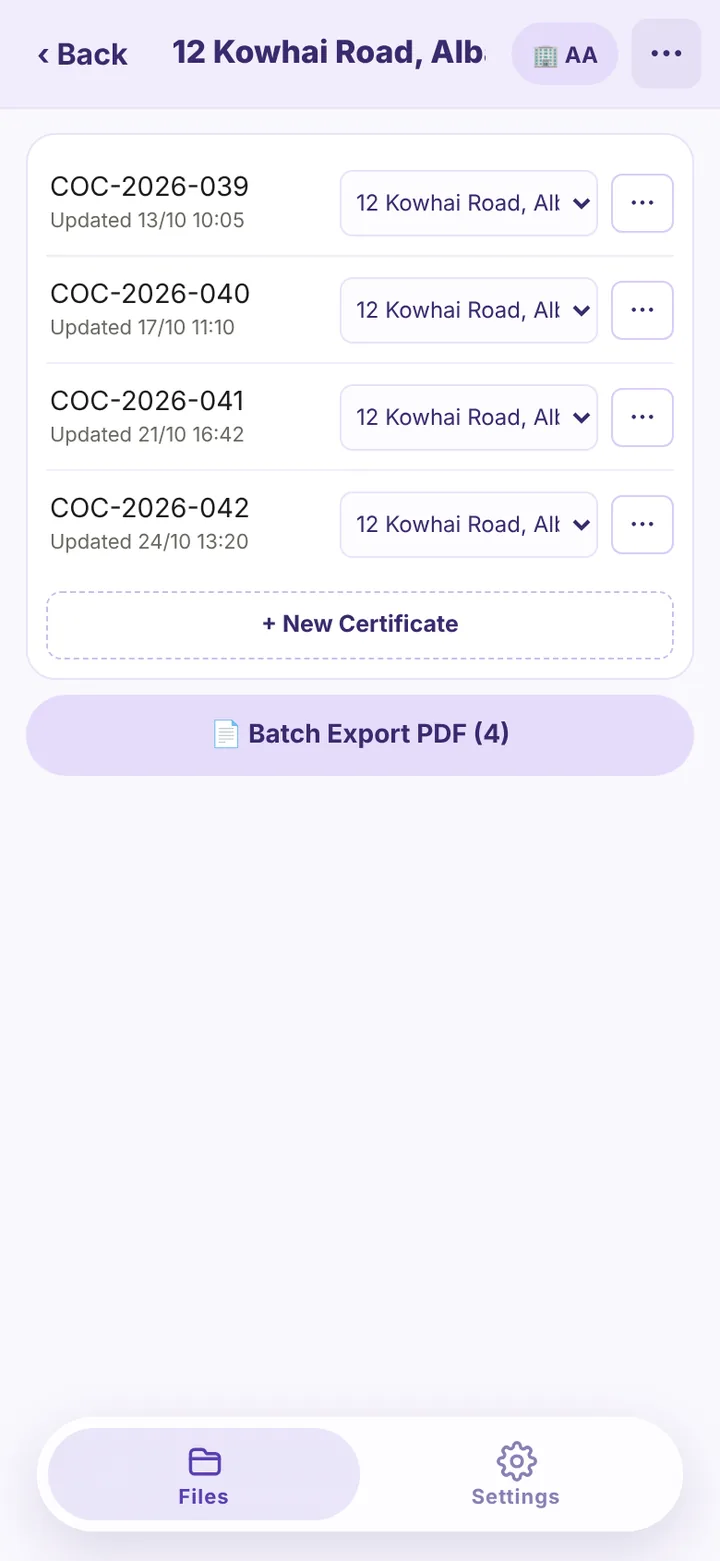
Fill in the COC or ESC填 COC 或 ESC
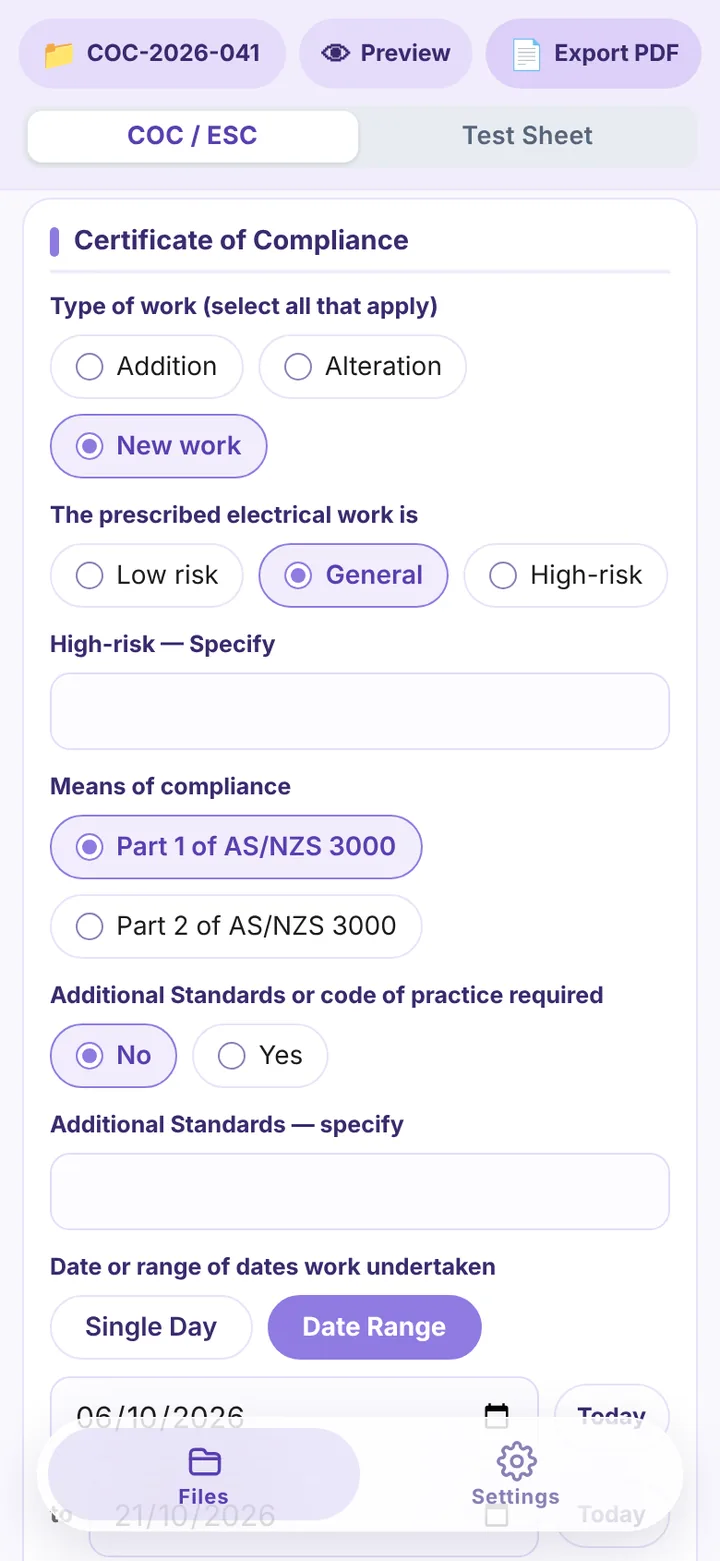
Installation details, the work done, who did and supervised it, the SDoC link. Values come from panels, so there is little to type.安装信息、做的工作、施工和监督的人员、SDoC 链接。数值从面板里点选,少打字。
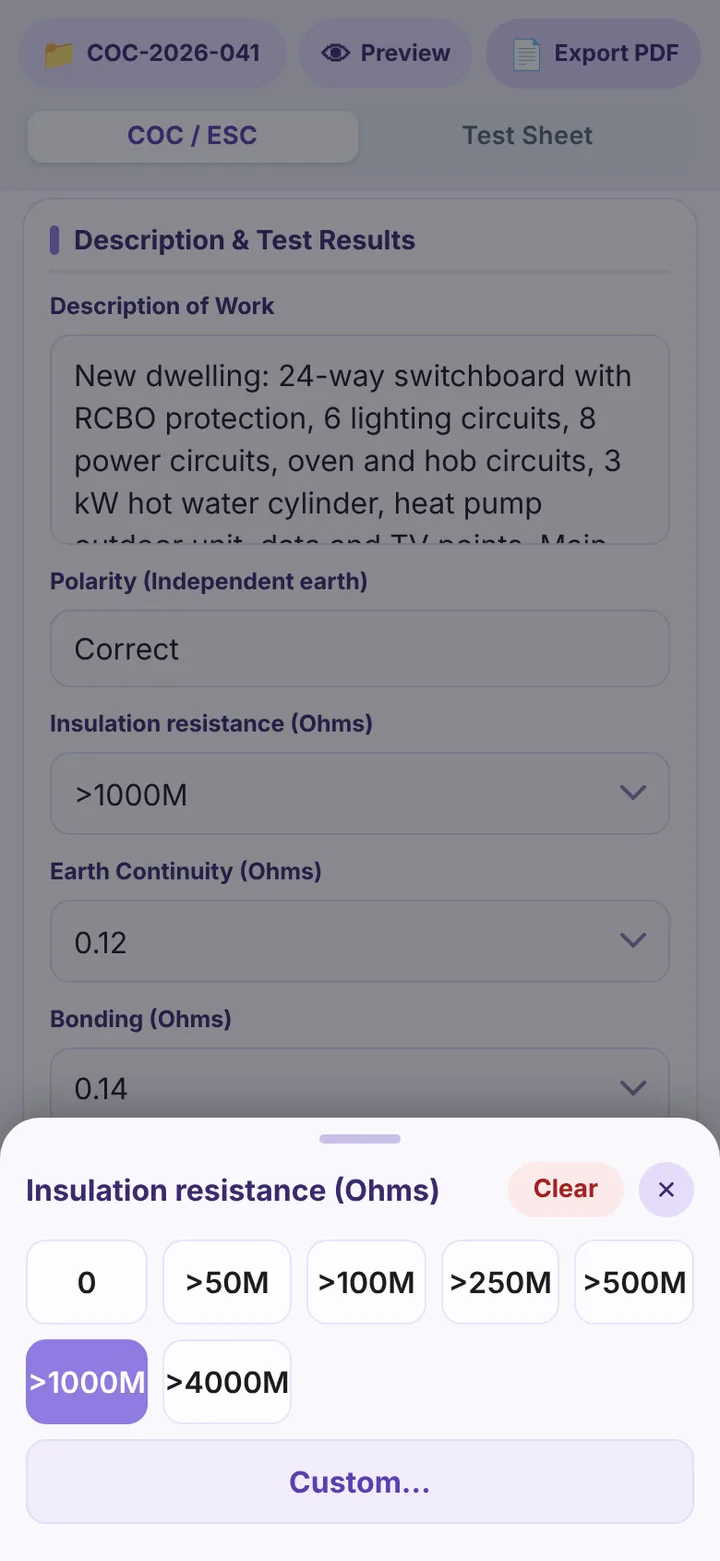
Test sheet测试表
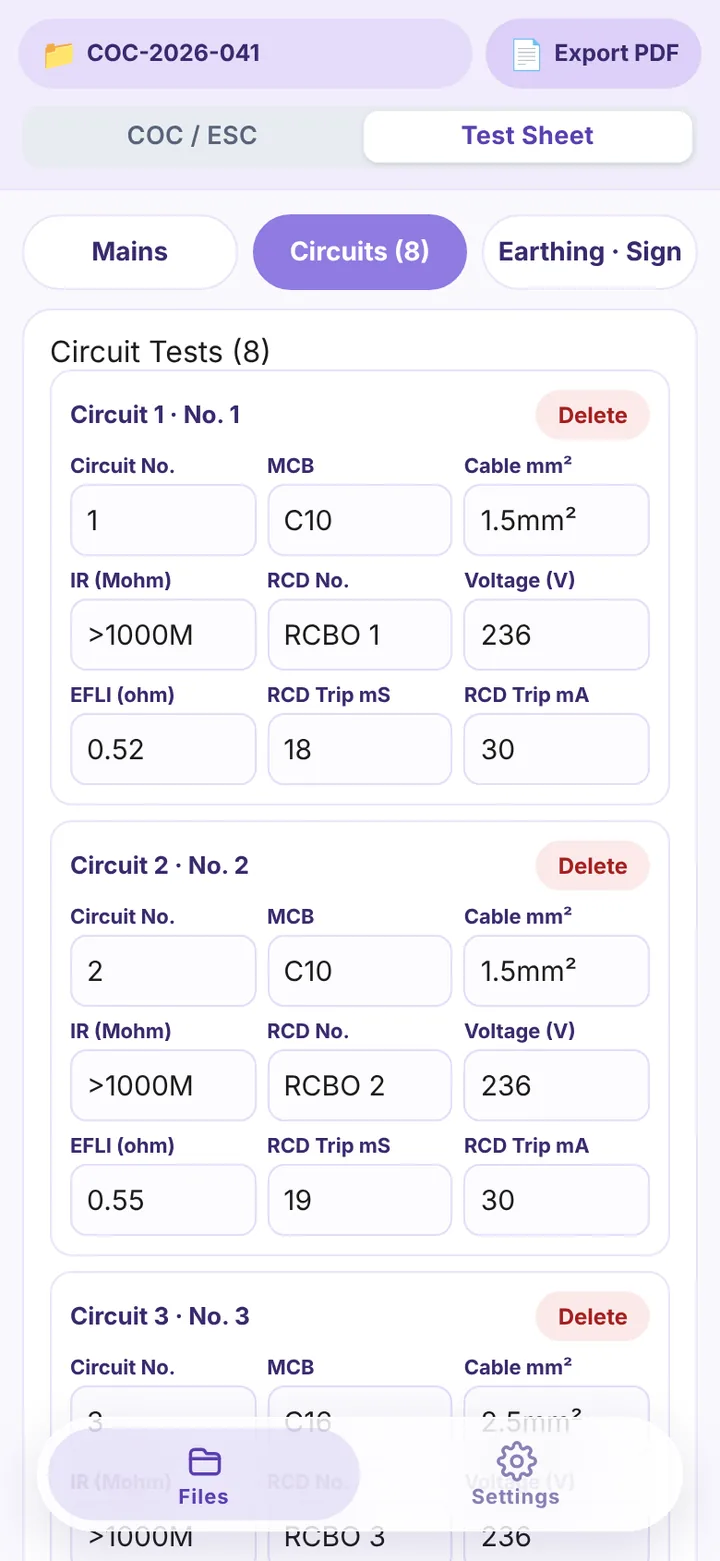
The commissioning test sheet is a tab of the certificate: mains (single or three phase), circuits and earthing, with the same number panels.测试表是证书页的一个分页:主线(单相或三相)、分路、接地系统,同样的数字面板点选。
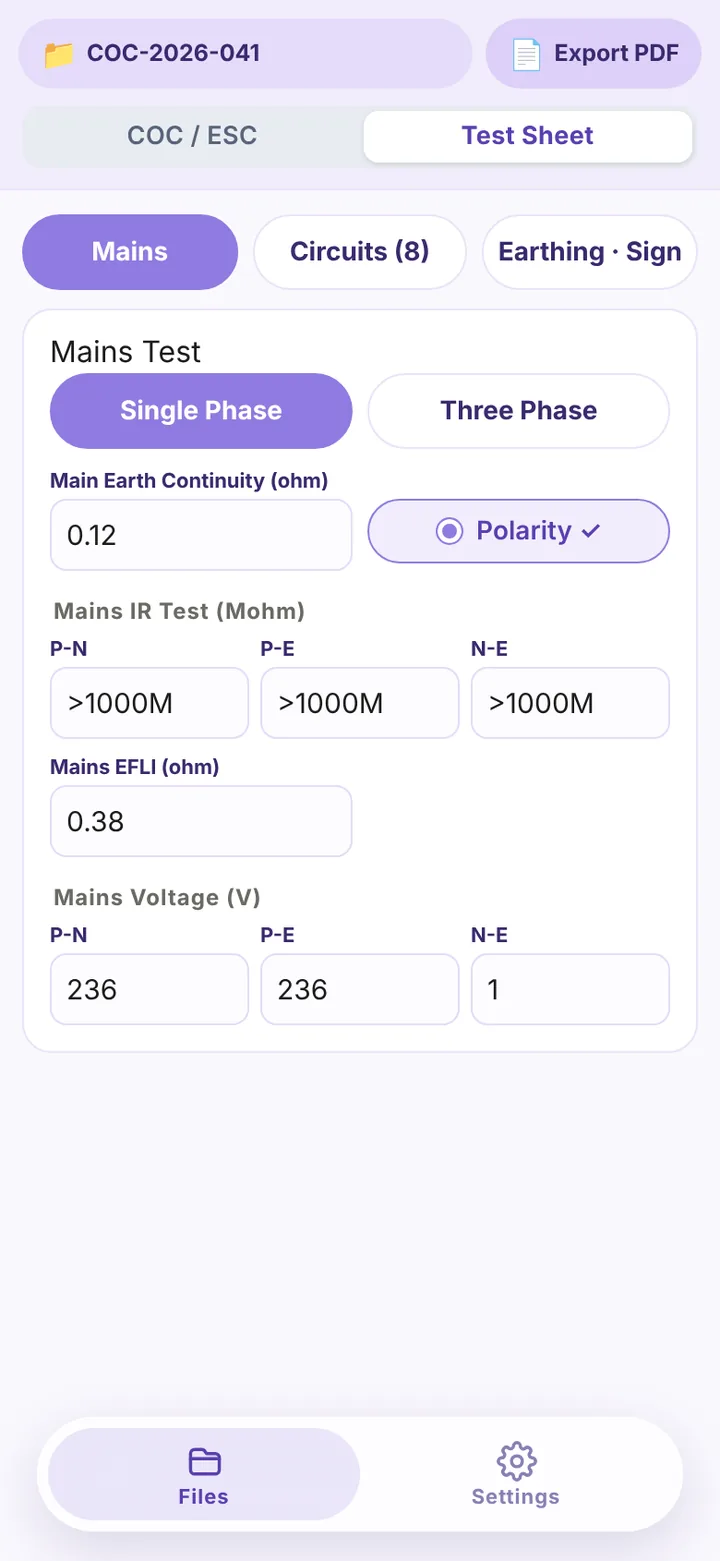
PDF出 PDF
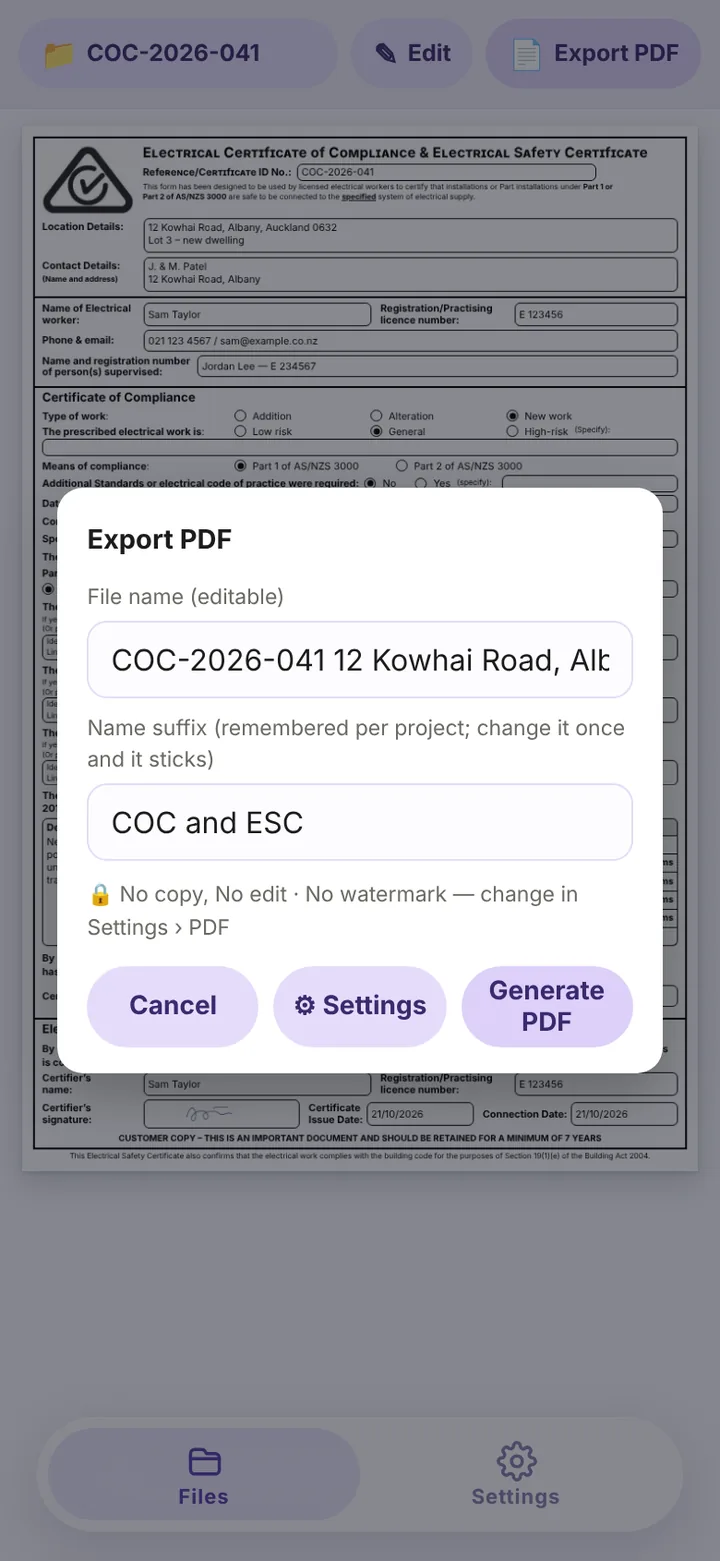
The certificate and the test sheet export straight to PDF, ready to share.证书和测试表直接导出 PDF,可直接分享。
What is in the appApp 里有什么
COC and ESCCOC 与 ESC
Both certificates in one app; copy the last one or start blank.两种证书在一个 App 里;可以复制上一张,也可以从空白开始。
Test sheet测试表
Mains, circuits and earthing; single or three phase; Ω / MΩ values, MCB type and rating and cable size all from panels.主线、分路、接地;单相 / 三相;Ω / MΩ 数值、MCB 型号和电流、线径都是面板点选。
Folders文件夹
Folder tiles on the home page, one per job; drag to reorder; the certificates are listed inside.主页是文件夹格子,一个项目一个;长按拖排序;进去是证书列表。
People人员
Electricians with registration numbers and signatures, picked onto the certificate.人员库:注册号和签名,填证书时直接选。
Companies公司
More than one company, each with its own details and logo.几家公司都行,各有自己的信息和 logo。
SDoC linksSDoC 链接
Keep your SDoC links in a list and pick one onto the certificate.SDoC 网址存成一张表,填证书时点选。
History and trash留底与回收站
Snapshots you can go back to; a deleted certificate can be restored for 30 days.留底可以回退;删掉的证书 30 天内找得回。
Chinese and English中文和英文
Switch the whole app between English and Chinese.整个 App 中英文切换。
Devices设备
Everything is on the server: change it on one device and the other has it straight away; sign in on 2 devices, add more when you need them.资料都在服务器上,一台改了,另一台马上就是改完的样子;2 台设备同时登录,需要再加。
Price价格
Prices in New Zealand dollars, GST included. Paid by card through Stripe.新西兰元计价,含 GST。通过 Stripe 用银行卡支付。
Monthly月付
per month每月
Cancel any time; access continues to the end of the paid month.随时可取消,付过的当月用到底。
Yearly年付
per year每年
NZ$31.89 less than twelve months paid monthly.比按月付一年省 NZ$31.89。
- 7-day free trial, started on the account page with a card; after the trial the plan you chose is charged automatically — cancel during the trial and nothing is charged.免费试用 7 天,在账户页绑卡开始;试用结束自动按所选套餐扣费,试用期内取消不收费。
- 2 devices signed in at the same time. An extra device is NZ$5.99 a month or NZ$59.99 a year, GST included.2 台设备同时登录。新增设备月付 NZ$5.99,或年付 NZ$59.99,含 GST。
- Your data stays yours; export PDFs at any time.数据归你,随时可以导出 PDF。
- Subscribe and manage payment on your account page at accounts.adamelectrical.co.nz, or tap Manage account in the app.在账户页 accounts.adamelectrical.co.nz 订阅和管理付款,App 里点「管理账号」也能过去。
Questions常见问题
Who is it for?给谁用?
Electricians in New Zealand who issue COCs and ESCs, from one person to a small team sharing one account.新西兰出 COC、ESC 的电工,一个人或者几个人共用一个账号的小团队都行。
Do I need a password?要密码吗?
No. Register once with your email at accounts.adamelectrical.co.nz; signing in to the app is a 6-digit code sent to that email. A device stays signed in; you only need a new code after 90 days without use.不用。先用邮箱在 accounts.adamelectrical.co.nz 注册一次;登录 App 靠发到邮箱的 6 位验证码。设备会一直保持登录,90 天没用过才需要再收一次验证码。
Which devices does it run on?什么设备能用?
iPhone, iPad, Android phones and tablets, and computers, in the browser. Add it to the home screen and it opens full screen like an app.iPhone、iPad、安卓手机和平板、电脑,在浏览器里用。加到主屏幕后全屏打开,跟 App 一样。
What happens when the trial ends?试用结束后会怎样?
When the trial ends you are charged automatically for the monthly or yearly plan you chose and keep using the app. If you do not want to continue, cancel under Manage payment on the account page during the trial and nothing is charged. Once a subscription ends, the app shows only an expiry page; subscribe again and you are back in straight away. Data is kept for 30 days after expiry, then deleted.试用结束时自动按你选的月付或年付扣费,App 接着用。不想继续,试用期内在账户页「管理付款」取消,一分不扣。订阅到期或取消后,App 只显示到期页,续订后马上恢复;数据在到期后保留 30 天,之后删除。
Can I get a refund?能退款吗?
Monthly plans are not refundable. A yearly plan can be refunded within 15 days of payment, pro-rated by day. The Terms of Use set this out.月付不退。年付自付款起 15 天内可以退,按天算。具体见使用条款。
Whose data is it?数据归谁?
Yours. What you enter belongs to you; we store it only to run the service and never sell it. Export PDFs from the app at any time, and delete your account yourself on the account page.你的。你录入的资料归你所有,我们只为提供服务而存储,不出售。随时可以从 App 导出 PDF;账户页上可以自己删除账号。
Where do I get help?有问题找谁?
Email app@adamelectrical.co.nz.发邮件到 app@adamelectrical.co.nz。
Try COC / ESC free for 7 days免费试用 COC / ESC 7 天
Register with your email, add a card on the account page and start the trial. Cancel during the trial and nothing is charged.用邮箱注册,在账户页绑卡开始试用;试用期内取消不收费。
Questions:有问题: app@adamelectrical.co.nz